


Understanding the Best Frame Rate for Security Cameras in 2026
When setting up a security camera system, one detail that often gets overlooked is the frame rate. Measured in frames per second (FPS), this specification affects how smoothly motion is captured and how much detail is retained in your footage. Picking the right frame rate is about balancing smooth video, storage capacity, and the specific security needs of your property. At WEILAILIFE, we’ve helped homeowners, small businesses, and enterprise clients optimize their surveillance setups to capture every critical moment without wasting storage or bandwidth.
What Frame Rate Really Means
Frame rate refers to the number of individual frames your camera records per second. Higher FPS creates smoother video, while lower FPS can appear choppy. Here’s a quick breakdown:
- 15 FPS: Entry-level or budget cameras often operate at this speed. It works for low-traffic areas like residential backyards or small office rooms. Motion can look slightly jerky, but storage usage is minimized.
- 24 FPS: Known as the “cinematic” standard, this frame rate produces smoother motion that closely resembles how humans naturally perceive movement. It’s a good choice for retail spaces or office environments.
- 30 FPS: The standard for most modern cameras. It balances smooth motion and reasonable file sizes, making it ideal for businesses, warehouses, or public spaces where clarity is essential.
- 60 FPS and higher: Reserved for fast-moving environments, like casinos, banks, or busy traffic intersections. While extremely detailed, this requires more storage and stronger recording hardware.
Key Considerations for Choosing FPS
Selecting the right FPS isn’t just about picking a number—it depends on multiple factors:
Purpose of Surveillance: Monitoring a driveway or storage area? 15 FPS might be enough. High-traffic zones like stores or streets benefit from 30 FPS or more.
Storage Capacity: Higher FPS creates larger files. For example, a 60 FPS camera can consume double the storage of a 30 FPS camera. Proper storage planning with NVR security camera systems is crucial.
Camera Capabilities: Not all cameras handle high FPS at high resolutions. A 4K camera may only manage 15–20 FPS, while a 1080p camera can handle 30 FPS. Check specs before purchase.
Motion Speed: Fast-moving subjects—like cars, bikes, or crowds—need higher FPS to avoid motion blur. Slow-moving environments can use lower FPS.
Bandwidth and Processing Power: Higher FPS increases bandwidth demand and processing requirements, especially in PoE camera networks. Ensure your system supports your chosen FPS.
Recommended Frame Rates by Scenario
Here’s a practical guide based on typical applications:
Residential Homes: 15–24 FPS is generally sufficient for monitoring doors, garages, or yards. It balances clarity with storage efficiency.
Small Businesses: Retail stores, restaurants, and offices benefit from 24–30 FPS, capturing employee activity, customer interactions, and potential theft incidents.
High-Security Facilities: Banks, casinos, or critical infrastructure should aim for 30–60 FPS to capture detailed movement, including faces and license plates. For example, a 1080p camera with 30 FPS, proper IR night vision, and a fast shutter can capture moving license plates at 20 mph from 40 feet away.
Traffic Monitoring: LPR cameras used on roads should operate at 30 FPS or more to avoid motion blur and ensure license plate readability.
How FPS Works with Other Features
FPS interacts closely with other security camera system specifications:
Resolution: Higher resolutions provide detail but may limit FPS. Sometimes a 1080p camera at 30 FPS is more effective for motion capture than a 4K camera at 15 FPS.
Compression: Modern formats like H.265 reduce file sizes, allowing higher FPS without taking up excessive storage.
Dynamic Frame Rates: Some WEILAILIFE cameras lower FPS when no motion is detected and increase FPS during activity. This saves storage while preserving critical events.
Why FPS Matters for Business Security
Choosing the right frame rate is essential for CCTV cameras in commercial environments. Fast-moving subjects can blur at low FPS, resulting in missed details. High FPS ensures you capture smooth, usable footage for:
Retail Stores: Monitor transactions, customer behavior, and prevent theft.
Offices and Warehouses: Track deliveries, employee activity, and safety compliance.
Parking Lots and Streets: Capture vehicle movements and license plates clearly.
Critical Infrastructure: Protect high-value areas where missing even a second of footage could have consequences.
WEILAILIFE’s Recommendations
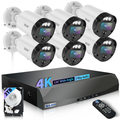
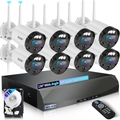
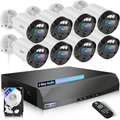
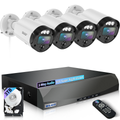
At WEILAILIFE, we design wired security cameras and PoE camera networks to optimize FPS, resolution, and storage. Our solutions include:
- Dynamic FPS adjustments to save storage without compromising security
- High-definition cameras up to 4K with smooth motion
- Hybrid storage solutions with local NVR and cloud backup
AI-powered analytics for motion, facial recognition, and license plate detection
Our certified technicians tailor each system to your environment, ensuring every camera records at the correct FPS and captures all important activity.
Takeaways for Optimized Surveillance
Choose FPS based on traffic and motion: 15–24 FPS for homes, 24–30 FPS for small businesses, and 30–60 FPS for high-security areas.
Consider resolution, compression, and storage when selecting FPS.
Use WEILAILIFE professional systems for reliable, future-proof surveillance.
For tasks like license plate capture, combine proper FPS with focal length, shutter speed, and IR night vision.