


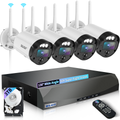

DIY CCTV Maintenance Tips: 5 Simple Tricks to Keep Your Surveillance System Running
When it comes to home or business security, CCTV cameras are your first line of defense.
They monitor entrances, parking lots, offices, and private property, keeping you informed and secure.But like any electronic device, video surveillance systems can occasionally experience glitches—blurry footage, lost signal, or night vision problems.
The good news is most of these issues can be resolved without calling a technician.
At WEILAILIFE, we focus on empowering users with practical tips to maintain and troubleshoot security cameras, keeping your environment safe without the added cost of professional repairs.
Here’s a guide to five common CCTV issues and how to fix them.
1. Blurry Footage? Clean the Lens and Adjust Focus
Blurry images are one of the most common problems in home security cameras and commercial setups.
Dust, fingerprints, or smudges on the lens often cause unclear footage.
Steps to fix:
Gently clean the lens using a microfiber cloth or lens tissue. Avoid harsh cleaners or alcohol, which can damage protective coatings.
For cameras with manual focus, adjust the focus ring until the image is sharp. Many WEILAILIFE cameras feature easy-to-adjust lenses for quick optimization.
Pro tip: Clean lenses at least once a month to prevent long-term image degradation and maintain reliable surveillance.
2. No Signal? Check Wiring and Power
A lost signal is another frequent issue, often caused by loose connections, power interruptions, or damaged cables.
What to do:
Inspect all power lines and network cables between your camera and DVR/NVR. Re-seat plugs to ensure firm connections.
Test the power source or try a different outlet. For PoE (Power over Ethernet) cameras, a network tester can verify both power and data transmission.
Replace any frayed or broken cables immediately.
WEILAILIFE smart cabling solutions simplify wiring and reduce downtime, ensuring your system stays online.
3. Night Vision Not Working? Clean IR Lights and Adjust Angles
Night vision is critical for 24/7 monitoring. Black or dark footage is often caused by dirt on infrared LEDs or poor camera positioning.
Tips to fix night vision:
- Clean IR lights with a soft cloth to remove dust or debris.
- Adjust camera angles to avoid glare from reflective surfaces like windows or walls.
- On some DVR/NVRs, lower night vision sensitivity to prevent overexposure or black screens.
With proper positioning and maintenance, WEILAILIFE night vision cameras deliver clear, colorful images even in total darkness.
4. Interference in Footage? Minimize Electrical Noise
If your camera feed shows stripes, static, or snow-like effects, electrical interference is likely.
How to resolve:
- Keep cameras away from strong electrical devices, such as routers, air conditioners, or motors.
- Use shielded Ethernet cables if relocation isn’t possible; these reduce electromagnetic interference.
- Check grounding for your DVR/NVR and cameras to prevent signal disruptions.
Following these practices ensures smooth and uninterrupted operation of your video surveillance system.
5. Recording Issues? Inspect Your Hard Drive
Sometimes cameras record properly, but your DVR/NVR fails to store footage.
Steps to troubleshoot:
- Check the hard drive status in the recorder’s settings. Replace the drive if it shows “Abnormal” or “Failed.”
- If the drive works but recording still fails, formatting often resolves errors—always back up important footage first.
- Verify recording schedules to ensure the system captures the desired time frames.
WEILAILIFE NVRs include user-friendly storage management tools, making hard drive monitoring and schedule configuration simple.
Extra Tips for Long-Lasting CCTV Performance
Routine inspections: Check lenses, mounts, and cables every few months.
Firmware updates: Keep cameras updated for improved performance and security.
Weatherproofing: Ensure outdoor cameras have proper IP-rated enclosures to resist rain, dust, and harsh conditions.
Secure mounting: Properly mount cameras to prevent theft or misalignment during storms or accidental impact.
Conclusion
Maintaining a CCTV or video surveillance system doesn’t need to be complicated.By regularly cleaning lenses, checking power and wiring, adjusting night vision, minimizing interference, and monitoring storage, most everyday issues can be solved quickly—even by beginners.
At WEILAILIFE, we provide equipment designed for reliability and user-friendly maintenance.With consistent care, your home security cameras or commercial surveillance system will deliver accurate, round-the-clock monitoring for years.
Proactive maintenance improves image clarity, reduces downtime, and keeps your property secure—all without costly professional repairs.