


Easy Home Security Camera Installation Guide
Installing home security cameras is essential for protecting your property. Many assume setting up a CCTV system is difficult or expensive, but with careful planning, even beginners can achieve professional results. At WEILAILIFE, we offer reliable, user-friendly surveillance solutions for homes and businesses.
Plan Your Security Camera Setup
Before installing cameras, map your property and prioritize areas needing coverage:
Entry points: doors and side entrances
Windows out of public view
Outdoor pathways: driveways, porches, stairways
Indoor areas: living rooms, hallways, offices
For outdoor cameras, mount at least 10 feet high to avoid tampering and protect from weather. Proper placement ensures clear footage and extends camera life.
For wired systems, plan cable routes and measure distances to DVR/NVR. If unsure about drilling or wiring, a professional installer can help.
Choosing the Right Cameras
Select cameras based on property size, coverage needs, and installation preference:
Wireless Cameras
Quick setup with minimal drilling
Motion detection to save storage
Night vision for low-light areas
Ideal for apartments or areas without easy access to power
Wired Cameras
Reliable power and video quality
Centralized recording via DVR/NVR
PoE IP cameras combine power and data in a single cable
Bundled Systems
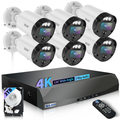
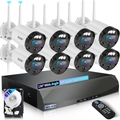
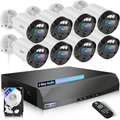
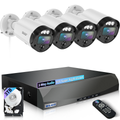
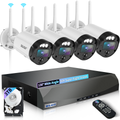
Include cameras, mounts, cables, and recording devices
Motion detection and remote viewing often included
Ensure system matches your property size and monitoring needs
Mounting Your Cameras
Wireless Cameras:
Use the mounting template and drill pilot holes.
Insert anchors if necessary and attach the camera mount.
Secure the camera and adjust angles for optimal coverage.
Wired Cameras:
Drill pilot holes and a central hole for cables.
Run cables to the DVR/NVR, securing them behind walls or ceilings.
Attach the camera to the mount and connect power/data.
PoE cameras simplify installation by combining power and data in one cable.
Installing and Powering Cameras
Install battery-powered cameras first and ensure full charge.
Connect wired cameras to power and network.
Secure cameras and adjust angles for proper coverage.
Consider backup power sources like generators to prevent downtime.
Proper installation ensures your home security system operates consistently.
Connecting Cameras to the Network
Wired Systems:
Connect camera cables to DVR/NVR input ports and label each.
Connect the DVR/NVR to a monitor and power source.
Wireless Systems:
Install software and follow setup instructions.
Record IP addresses for remote viewing.
Test streaming on smartphones or computers.
Best Practices
Avoid blind spots when placing cameras.
Enable motion detection to save storage space.
Back up important footage regularly.
Protect outdoor cameras with weatherproofing.
Keep cables organized and secure.
Update firmware to maintain performance and security.
Following these steps ensures your video surveillance system works efficiently and provides maximum protection.
Conclusion
Installing a home security system is easier than many think. By planning your camera layout, choosing the right wired or wireless cameras, and following proper installation steps, you can create a secure environment for your home or business.
At WEILAILIFE, we provide reliable security cameras and surveillance solutions that are simple to install, ensuring your property is always protected.