


How to Make Your Wireless Security Camera Battery Last Longer: 10 Practical Tips
Wireless security cameras have become a popular choice for homeowners who want flexible installation without running cables through their property. Whether you're protecting your front porch, backyard, garage, or vacation home, keeping your cameras powered for longer means fewer interruptions and less maintenance.
If you're building a reliable home security camera system, battery life should be one of the key factors to consider. The good news is that a few simple adjustments can significantly improve how long your cameras stay online between charges.
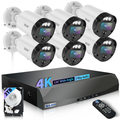
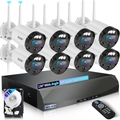
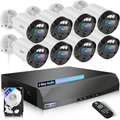
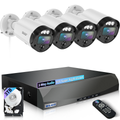
Below are ten practical ways to maximize battery performance while getting the most out of your WEILAILIFE security cameras.
1. Choose Cameras with Intelligent PIR Motion Detection
One of the biggest reasons battery-powered cameras lose power quickly is unnecessary recording.
Instead of relying only on image changes, cameras equipped with Passive Infrared (PIR) sensors detect body heat, making motion detection much more accurate. This greatly reduces false alerts caused by moving tree branches, rain, insects, or shifting sunlight.
WEILAILIFE wireless cameras use advanced PIR motion detection to help minimize unnecessary recordings, extending battery life while ensuring important events are captured.
2. Adjust Motion Sensitivity Based on Your Environment
Not every location requires maximum sensitivity.
A camera watching a quiet backyard can use lower sensitivity than one monitoring your front entrance. Reducing unnecessary triggers helps conserve battery without sacrificing security.
Most WEILAILIFE cameras allow you to customize:
- Motion sensitivity
- Recording duration
- Detection distance
- Notification preferences
Taking a few minutes to fine-tune these settings can noticeably improve battery performance.
3. Keep Camera Firmware Updated
Firmware updates aren't just about adding new features—they often improve system stability, power management, and motion detection efficiency.
Updating your camera regularly helps optimize battery consumption and ensures your security system continues operating at peak performance.
It's a simple maintenance step that many users overlook.
4. Install Cameras Where Motion Is Meaningful
Camera placement has a major impact on battery life.
If your camera constantly faces:
- Busy roads
- Sidewalks
- Moving trees
- Neighboring driveways
it may wake up hundreds of times every day.
Instead, position your camera toward the areas you actually want to monitor, such as:
- Front doors
- Back gates
- Garages
- Package delivery areas
- Driveways
Good placement reduces unnecessary recordings while improving overall surveillance quality.
5. Create Motion Detection Zones
Many modern security cameras allow you to define activity zones.
Rather than monitoring the entire field of view, you can focus only on important areas like:
- Entryways
- Walkways
- Vehicles
- Gates
Ignoring less important regions helps reduce false alerts and conserves battery power.
This feature is especially useful if your best outdoor security camera for home overlooks areas with frequent movement beyond your property.
6. Use Recording Schedules
Your cameras don't necessarily need to monitor every hour of the day.
If you're usually home during business hours, you may only need motion recording during:
- Overnight
- Working hours
- Vacations
- Weekends
Scheduling active monitoring periods helps your cameras use less energy while still protecting your property when it matters most.
7. Consider Weather Conditions
Cold temperatures affect every lithium battery.
Although outdoor cameras are built to handle rain, snow, and summer heat, battery efficiency naturally decreases in freezing weather.
If possible:
- Install cameras where they receive some shelter from extreme conditions.
- Bring removable batteries indoors to recharge during winter.
- Avoid prolonged exposure to severe cold whenever practical.
These small precautions can help maintain consistent battery performance throughout the year.
8. Add a Solar Panel for Continuous Charging
For locations with good sunlight, solar charging is one of the easiest ways to reduce manual recharging.
A compatible solar panel can continuously replenish battery power during daylight hours, making it ideal for:
- Farms
- Vacation cabins
- Construction sites
- Large backyards
- Remote entrances
Many WEILAILIFE battery-powered cameras support solar charging, providing long-term operation with minimal maintenance.
9. Optimize Spotlight and Night Vision Settings
Integrated spotlights improve nighttime visibility, but they also consume additional power.
If your camera includes built-in lighting, consider:
- Lowering brightness
- Shortening illumination time
- Activating lights only when motion is detected
These adjustments help preserve battery life while maintaining excellent nighttime security.
10. Select the Right Camera Resolution for Your Needs
Higher resolution provides sharper images, but it also increases power consumption because more data must be processed and stored.
The best choice depends on your installation.
WEILAILIFE offers multiple resolution options, allowing homeowners to choose the balance between image clarity and battery efficiency.
For example:
- 2K cameras provide excellent detail while maximizing battery life for everyday home monitoring.
- 3K cameras deliver enhanced clarity for identifying visitors or license plates.
- 4K cameras are ideal for users who require maximum image quality for larger properties or critical surveillance areas.
Choosing the appropriate resolution helps create a more efficient home security camera system without paying for performance you don't actually need.
Why Choose WEILAILIFE?
Finding the best outdoor security camera for home isn't just about image quality—it also means choosing a system that's reliable, easy to manage, and affordable over the long term.
WEILAILIFE combines advanced features with practical everyday usability, including:
- Multiple camera resolutions to fit different security needs
- Intelligent PIR motion detection that reduces false alarms
- Solar charging compatibility for extended operation
- Clear day and night monitoring
- Easy wireless installation
- Expandable home security camera system
- No monthly subscription fees for essential security features
Whether you're protecting a small home, a large property, or even a small business, WEILAILIFE provides dependable security without recurring costs.
Final Thoughts
Battery life depends on much more than battery size alone. Smart camera placement, optimized settings, intelligent motion detection, and choosing the right resolution all contribute to longer operating times and more reliable protection.
With WEILAILIFE, you can build a flexible home security camera system tailored to your property and budget. From efficient PIR detection to multiple resolution options and solar-powered convenience, WEILAILIFE makes it easy to enjoy dependable security with fewer interruptions and no monthly fees.