


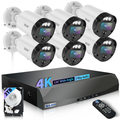
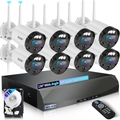
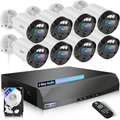
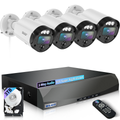
Security System Fundamentals & Smart Selection Tips
Setting up a security system can seem overwhelming, especially for first-time homeowners or small business operators. Issues like blurry night vision, lagging remote access, or unresponsive cameras are common—but most problems can be avoided with proper planning and knowledge. At WEILAILIFE, we’ve created a comprehensive guide covering essential camera knowledge, installation practices, and troubleshooting tips to help you get your system right the first time.
1. Understanding Core Security System Parameters
Knowing the key specifications of your surveillance cameras is crucial for reliable performance.
Resolution and Pixels
-
Pixels vs. Resolution: Pixels indicate the number of sensor points (e.g., 2MP = 1080p), while resolution is the display matrix (e.g., 1920×1080). Higher pixel counts deliver sharper images but require more bandwidth.
-
Practical Tip: For homes or small offices, 4MP (2560×1440) cameras balance clarity and cost. For larger spaces like retail stores or warehouses, 8MP (4K) cameras capture fine details, even barcodes.
- Bandwidth Consideration: A 4K camera uses roughly twice the storage and bandwidth of a 1080P camera. Always plan storage needs before installation.
- Effective vs. Interpolated Pixels: Some cameras advertise “12MP,” but this may be interpolated. Check the sensor specs for true resolution.
Lens and Field of View
Focal Length & Coverage:
- 2.8mm: ~90° (small corridors, elevators, 5m range)
- 4mm: ~65° (offices, medium rooms, 10m range)
- 6mm: ~45° (yards, parking lots, 20m range)
- 12mm: ~25° (warehouses, critical blind spots, 30m range)
- Selection Formula: Monitoring distance ÷ 2 ≈ lens focal length (mm).
- Lens Material: Glass lenses provide 30% better light transmission than plastic, improving night vision performance.
- Zoom Options: Manual zoom suits static installations, while motorized zoom supports remote adjustments for larger areas.
Night Vision
-
Infrared vs. Color Night Vision: Infrared works in total darkness but is black and white. Low-light color cameras provide full-color images at night, ideal for homes or small businesses.
-
IR Distance Adjustment: Expect around 70% of the manufacturer’s stated range in real-world conditions.
- Noise Control: Larger sensors reduce low-light noise, producing cleaner footage.
Bitrate and Storage
Main Stream vs. Sub Stream: The main stream stores high-quality footage locally; the sub-stream is optimized for remote viewing.
Storage Calculation: Daily storage (GB/day) = Bitrate (Mbps) × 86400 ÷ 8 ÷ 1024.
Example: A 4MP camera at 4Mbps generates ~41GB/day. Eight cameras storing 30 days require ~10TB.
Hard Drive Choice: Use drives designed for continuous surveillance operation, capable of 24/7 read/write cycles.
2. Selecting the Right Security Camera
The right camera reduces errors and ensures reliable coverage.
Based on Environment
- Outdoor Cameras: IP66 or higher for weather protection; anti-corrosion models for coastal regions.
- Indoor Cameras: IP30 is sufficient; dome cameras fit ceilings, bullet cameras suit walls.
- Special Areas: Elevators or garages require cameras with anti-interference features.
- Lighting Challenges: Wide Dynamic Range (WDR) and full-color night vision cameras handle high-contrast areas effectively.
Based on Function
- Face Recognition: ≥4MP, 4–6mm focal length; avoid over-zoom to prevent distortion.
- License Plate Capture: Supports WDR, ≥25fps; avoid glare from headlights.
- Audio & Two-Way Communication: Built-in or external microphones; ensure speaker power supports clear communication.
- PoE Cameras: Power and data via a single cable for simpler installation.
3. Installation Best Practices
Even high-end cameras fail if installed incorrectly. WEILAILIFE emphasizes planning, cable management, and proper mounting.
Camera Placement
Cover all entrances and critical zones without redundant overlap.
-
Outdoor gun cameras: ≥3.5m to prevent tampering.
Indoor domes: ≥2.5m for unobstructed view.
-
License plate cameras: 1.5–2m, aligned to capture plates clearly.
Cable and Power Layout
-
Network Cable: Cat5e for 100m, Cat6 for Gigabit; waterproof for outdoors.
-
PoE Distance: ≤100m; otherwise use PoE extenders or fiber converters.
- Electrical Separation: Keep high-voltage lines ≥30cm from camera cables.
Equipment Mounting
Secure all camera brackets to prevent wind shake.
Place NVRs and switches in ventilated, dry areas; add fans if >40°C.
Supplementary lights: ≤15° angle, covering the monitored area without glare.
4. Calibration and Remote Setup
Proper calibration ensures sharp images and smooth remote access.
-
Power Checks: DC12V cameras should measure 11.5–12.5V.
-
IP Settings: Keep cameras and NVRs on the same network segment; DHCP or static IP as needed.
-
Remote Access: Map HTTP/RTSP ports; enable DDNS if static IP is unavailable.
- App Testing: Confirm multi-device access and live stream stability.
5. Maintenance and Troubleshooting
Routine maintenance prolongs system life and ensures reliability.
- Quarterly Checks: Clean lenses, inspect cables, verify hard drives.
- Firmware Updates: Back up settings before applying updates.
- Backup Footage: Save important recordings to external drives or cloud storage.
Common Fixes
Blurry Night Vision: Clean IR LEDs; avoid reflective surfaces.
Remote Viewing Problems: Check port forwarding and app versions.
Frequent Disconnects: Inspect cabling, PoE supply, and IP conflicts.
6. Conclusion
A reliable security system is more than just cameras. Thoughtful selection, precise installation, and consistent maintenance ensure your system functions as intended. By understanding camera parameters, matching devices to the environment, and following professional installation protocols, even newcomers can confidently secure their home or business.
WEILAILIFE provides expert-grade cameras and support, helping you reduce setup errors, troubleshoot efficiently, and maintain a dependable surveillance system for years to come.