


Small Shop Security in 2026: Smart Camera Setup That Actually Works
Running a small business is hard enough without worrying about what happens after you lock up for the night. Whether you're managing a boutique retail store, a busy café, or a small office, keeping an eye on things when you're not there is non-negotiable these days.
The good news? Setting up a home security camera system that pulls double duty for your business isn't as complicated or expensive as most people think. It's not about buying the most cameras or the priciest gear—it's about being smart about where you put them and what you actually need.
Here's what's working for small shop owners right now.
Pick Cameras That Fit Your Space, Not a Brochure
Most businesses don't need a Hollywood-style surveillance setup. You need coverage where it counts—entrances, the register, stock rooms, and whatever aisles hold your high-value merch.
Resolution matters, but only up to a point. 1080p is fine for general monitoring, but if you actually need to read a receipt or identify someone's face in a dispute, 4K is worth the upgrade. Night vision isn't optional if you're open after dark or want overnight coverage—skip it and you'll be looking at black blobs on playback.
Wired versus wireless? This is where a lot of people overthink it. Wireless cameras are dead simple to install and you can reposition them without calling an electrician, but they depend on a strong Wi-Fi signal. If your store has thick walls or you're in an area with spotty internet, wired systems with Power over Ethernet (PoE) give you that rock-solid connection you can count on .
Where to Put Cameras (And Where Not To)
Placement makes or breaks your whole setup. A $500 camera pointed at a wall is useless.
The money spots:
-
Entry and exit points – Mount these to catch faces. Backlighting is your enemy here—the sun behind someone turning them into a silhouette is a rookie mistake .
-
The cash register – Put a camera on the transaction area and ideally another angle on the customer's face. Hands and faces both matter .
-
Aisles with expensive stuff – Overlap coverage so someone moving through the store is visible in multiple cameras as they go. This is how you spot patterns .
-
Stock rooms and back offices – These are easy to overlook, but they're where inventory walks out the back door or unauthorized access happens .
Heads-up: Keep cameras out of bathrooms, fitting rooms, and private staff areas. That's not just good practice—it's the law in most places .
Setting Up Without Losing Your Mind
If you're going the wireless route, most modern systems are genuinely plug-and-play. The app walks you through pairing cameras, setting up motion zones, and getting notifications on your phone.
A few things worth doing right:
-
Mount cameras out of reach (tampering prevention is obvious but often ignored)
-
Make sure storage holds at least 14 days of footage. Stuff happens, and you might not notice until days later .
-
Test every camera before you consider the job done. Walk through the store, check angles, and look for blind spots you missed .
Wi-Fi tip: If you're running wireless cameras, put your security system on a separate network from your POS system. Transaction data can drop camera feeds at the worst possible moment, and that's a headache nobody needs .
Storage: The Subscription Trap To Avoid
Here's where a lot of small businesses get stuck paying more than they planned. Cloud storage is convenient—you can pull footage from anywhere—but those monthly fees add up fast. Over three years, a $50/month plan costs you $1,800 on top of whatever you paid for the hardware .
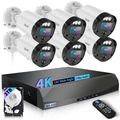
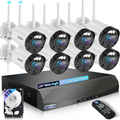
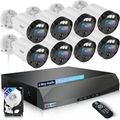
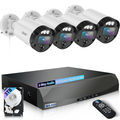
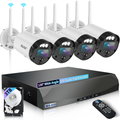
Local storage changes the math completely. A system with an on-site hard drive (NVR) keeps your footage on hardware you own, with no recurring bill. You set how long you keep recordings, and nobody can lock you out if you miss a payment. For most retail shops, a system with 2TB of local storage gives you about 30 days of footage on a typical 4-8 camera setup .
Maintenance That Takes Five Minutes
Your cameras are only useful if they're actually working. A quick check every couple of weeks goes a long way—wipe the lenses (dust builds up faster than you think), make sure nothing's blocking the view, and run a firmware update when the manufacturer pushes one. Those updates often patch security holes that hackers look for .
The Bottom Line
Security cameras for small business aren't about creating a fortress. They're about having eyes where you need them, keeping costs predictable, and knowing you've got footage if something goes sideways. A solid 4-8 camera setup with local storage and smart placement covers the vast majority of retail and office spaces without breaking the bank .
That's exactly what WEILAILIFE builds our systems around—practical coverage, no forced subscriptions, and gear that small business owners can set up without a service call. You've got enough to worry about running your shop. Your security system shouldn't be one of them.
Check your angles, test your night vision, and don't get tricked into paying monthly fees for something you could own outright. Your future self—and your bottom line—will thank you.