


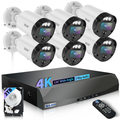
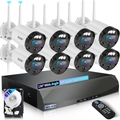
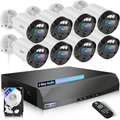
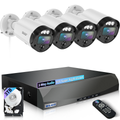
How to Choose the Best Home Security Camera: A Complete Buying Guide for Smarter Protection
Shopping for a home security camera system can feel straightforward—until you start comparing models. Some advertise crystal-clear video, others promise AI-powered motion detection, and budget cameras flood the market claiming to be “the best.” Suddenly, finding the right camera can feel overwhelming.
The truth is, choosing a home surveillance camera isn’t about buying the most expensive device or chasing every flashy feature. It’s about understanding your actual needs and selecting equipment that fits your home, lifestyle, and security concerns.
At WEILAILIFE, we focus on practical, affordable, and easy-to-use home security systems. Whether you want to monitor your front porch, check on pets, or improve overall home safety, this guide will help you avoid common mistakes and make a confident decision.
Step 1: Define Your Purpose
Before comparing features or brands, ask yourself what problem you’re trying to solve:
- Are you focused on home security and burglary prevention?
- Monitoring children, elderly family members, or pets?
- Tracking package deliveries or entry points?
- Indoor monitoring or outdoor surveillance?
Many homeowners skip this step and buy cameras without a clear purpose.
Example:
Security monitoring: prioritize motion alerts, reliable night vision, and wide-angle coverage.
Checking on children or pets: focus on video quality, mobile access, and two-way audio.
At WEILAILIFE, we recommend starting with high-priority areas first instead of buying more cameras than you’ll use.
Step 2: Resolution Matters—but Higher Isn’t Always Better
Many assume higher megapixels automatically mean better footage. In reality, there’s a balance:
- 2MP (1080p HD): Good for basic monitoring, budget-friendly.
- 3–4MP (2K–2.5K): Balanced clarity and storage efficiency.
- 6–8MP: Better for large properties, often overkill for typical homes.
High-resolution cameras consume more internet bandwidth and storage. For most households, 2K cameras offer sharp video without overloading your system. WEILAILIFE cameras focus on this practical balance.
Step 3: Consider Lens and Field of View
The lens determines how much area your camera can cover.
Wide coverage for larger spaces:
- Ideal for living rooms, backyards, garages, patios.
- Use wide-angle lenses (2.8mm–3.6mm) to reduce blind spots.
- Pan-and-tilt or fisheye cameras can cover bigger areas with fewer devices.
Focused detail for entry points:
- For doorways, package deliveries, or pet behavior, longer focal lenses (around 6mm) are better.
- The closer the camera to the target area, the sharper the detail.
At WEILAILIFE, lens placement and viewing angles are as important as image resolution—because clear footage only matters if it captures the right area.
Step 4: Indoor vs. Outdoor Cameras
Many homeowners make the mistake of using indoor cameras outside.
Indoor cameras aren’t built for rain, dust, extreme temperatures, or humidity.
Outdoor cameras are weather-resistant and more durable; they also work indoors.
WEILAILIFE outdoor cameras offer strong durability while maintaining a sleek design suitable for indoor use.
Step 5: Flexible Options Without Wi-Fi
Some properties lack reliable internet or electricity:
Farms, rural homes, vacation properties, detached garages, outdoor gardens.
In these cases, solar security cameras can help:
- No electrical wiring required
- Solar-powered charging
- Mobile network connectivity
Tip: choose a reliable SIM provider with strong coverage. WEILAILIFE recommends selecting surveillance cameras based on your property’s environment—not just price.
Step 6: Focus on Reliable Smart Features
Many modern cameras highlight flashy features that don’t add real value. Standard features that matter include:
- Motion detection
- Two-way audio
- Mobile notifications
- Cloud access
- Night vision
Advanced but reliable features can include:
- Human detection to reduce false alerts
- Vehicle recognition for driveways
- Smart security zones for monitoring specific areas
A system that sends false alarms frequently becomes ignored. WEILAILIFE cameras prioritize practical reliability over gimmicky technology.
Step 7: Cloud vs. Local Storage
Storage is another key decision:
Cloud Storage:
Pros: access footage anywhere, automatic backup
Cons: monthly fees, recurring costs
TF Card / Local Storage:
Pros: one-time cost, full control over footage
Cons: occasional replacement needed
Tip: use high-quality cards like Kingston or SanDisk to ensure reliability.
Step 8: Network Connection
A weak connection ruins home security camera performance.
Wired connections are more stable than Wi-Fi, offering smoother playback and consistent alerts.
Most cameras support only 2.4GHz Wi-Fi; check your router before installation to avoid issues.
Step 9: Avoid Overspending on Professional Systems
Unless you own a warehouse or commercial property, enterprise-grade cameras are often unnecessary. A reliable $100–$300 setup can outperform expensive systems with unused features. WEILAILIFE focuses on affordable, practical home security solutions.
Final Thoughts: Buy Smart, Not Expensive
When choosing a home surveillance system, focus on essentials:
✔ Understand your security needs
✔ Choose practical resolution levels
✔ Pick the right lens and viewing angles
✔ Use outdoor models where durability matters
✔ Prioritize reliable smart features
✔ Ensure a stable network connection
✔ Avoid overspending on professional systems
The best home security camera system is one you’ll actually use consistently. WEILAILIFE helps homeowners build practical, effective home security solutions—without unnecessary cost or confusion. Real security comes from making the right choice for your home, not buying the most expensive device.