


Why Is My Security Camera Stuck in Black-and-White Mode? How to Fix It
Few things are more frustrating than noticing your security cameras displaying only black-and-white images during the day or in well-lit areas. Even if the footage is sharp, the lack of color can make it difficult to identify important details—like the color of clothing, vehicles, or objects—potentially leaving gaps in your home or business security coverage.
At WEILAILIFE, we’ve worked with hundreds of homeowners, small businesses, and commercial clients who have experienced this problem. The good news is that in most cases, it’s not a permanent issue and can be resolved with a few targeted troubleshooting steps.
How Infrared Sensors Work in Security Cameras
Most modern CCTV cameras use infrared (IR) sensors to capture video in low-light conditions. Here’s how they function:
- When ambient light drops below a certain threshold, the camera switches to IR mode.
- IR LEDs illuminate the scene with infrared light, which is invisible to the human eye.
- The camera captures these reflections to create a black-and-white image, allowing clear visibility even in total darkness.
This is normal at night, but if your camera remains in grayscale during daylight, it indicates an underlying issue.
Common Reasons Cameras Stay in Black-and-White Mode
Several factors can cause a camera to get stuck in IR mode, even in adequate lighting:
- Infrared Sensor Stuck On: A malfunctioning sensor or LED may fail to switch off.
- Outdated Firmware or Software Glitches: Improper settings or old firmware can lock the camera in IR mode.
- Manual Configuration Errors: Some cameras allow manual day/night settings, which may force IR mode if incorrectly set.
- Environmental Interference: Bright artificial lights, reflective surfaces, or tinted covers can confuse the sensor.
- Obstructed or Dirty Lens: Dust, debris, or fingerprints can block light, triggering IR mode unnecessarily.
- Power or Cable Issues: Faulty wiring or unstable power can prevent the camera from switching modes.
- Hardware Problems: A defective IR sensor or internal component may permanently lock the camera in black-and-white.
How to Troubleshoot and Restore Full Color
WEILAILIFE recommends the following steps to restore color to your security camera system:
1. Power Cycle Your Camera and Recorder
A quick reboot can reset sensors and resolve minor glitches:
Turn off the camera and wait 10–15 seconds before powering it back on.
Restart the DVR/NVR system, as it may be sending incorrect signals.
For IP cameras, reboot through the camera’s app or web interface.
2. Inspect the Camera Lens and Sensor
Clean the lens gently using a microfiber cloth and a non-abrasive cleaner.
Check for obstructions such as spider webs, leaves, or tinted covers.
Ensure nearby lights or reflective surfaces aren’t confusing the IR sensor.
3. Update Software and Firmware
Log in to the camera’s interface and check for firmware updates.
Set the day/night mode to “Auto” so the camera can switch appropriately.
Analog cameras: Check manual IR overrides on the NVR security camera system.
4. Check Cables and Power
Swap the camera with a working unit to see if the cable or power supply is faulty.
Inspect for damaged or loose connections.
Safety Tip: Always turn off power before inspecting wiring. For outdoor or high-voltage systems, consult a professional.
5. Test the Camera on a Known-Good Setup
Connect the camera to a verified cable and power source.
For IP cameras, confirm network connectivity and sync with your NVR.
Ensure compatibility between the camera and recorder, especially in multi-brand setups.
6. Contact the Manufacturer or Supplier
If issues persist, the camera may have a hardware defect.
Check your warranty coverage and consult WEILAILIFE for professional replacement or repair options.
Advances in Camera Technology in 2026
Today’s security cameras are smarter than ever:
- Color Night Vision: Starlight sensors and AI-enhanced low-light processing can record full color even in dim environments.
- Smart IR Switching: AI algorithms automatically toggle IR LEDs on or off based on lighting conditions.
- Hybrid Systems: Cameras can combine visible light and IR illumination for consistent performance in mixed lighting.
Upgrading to modern cameras can prevent black-and-white display issues and improve image quality for homes and businesses alike.
Preventive Maintenance Tips
To keep your cameras running in full color and extend their lifespan:
- Clean lenses regularly (at least monthly) with a microfiber cloth.
Keep firmware up-to-date every few months.
- Inspect cables and power supplies annually.
- Avoid installing cameras facing reflective surfaces or bright artificial lights.
- Schedule professional inspections once a year, especially for outdoor or PoE camera networks.
When to Consider a Camera Replacement
Sometimes replacement is the best solution:
- Cameras older than 5 years or without reliable warranties are more prone to IR issues.
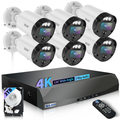
- Modern cameras from WEILAILIFE offer 4K resolution, color night vision, and remote monitoring via mobile apps.
- Upgrading can save time and ensure consistent, high-quality surveillance.
Conclusion
Black-and-white display issues are usually easy to fix with proper troubleshooting, maintenance, and occasional hardware upgrades. For homes, offices, or commercial properties, ensuring your CCTV cameras provide full-color imaging is essential for accurate identification and overall security.
WEILAILIFE provides expert installation, support, and recommendations for NVR security camera systems, PoE camera networks, and modern high-resolution cameras. For a free consultation, our certified technicians will assess your property, recommend solutions, and ensure your cameras operate reliably.